























Digital House Passport
Get Started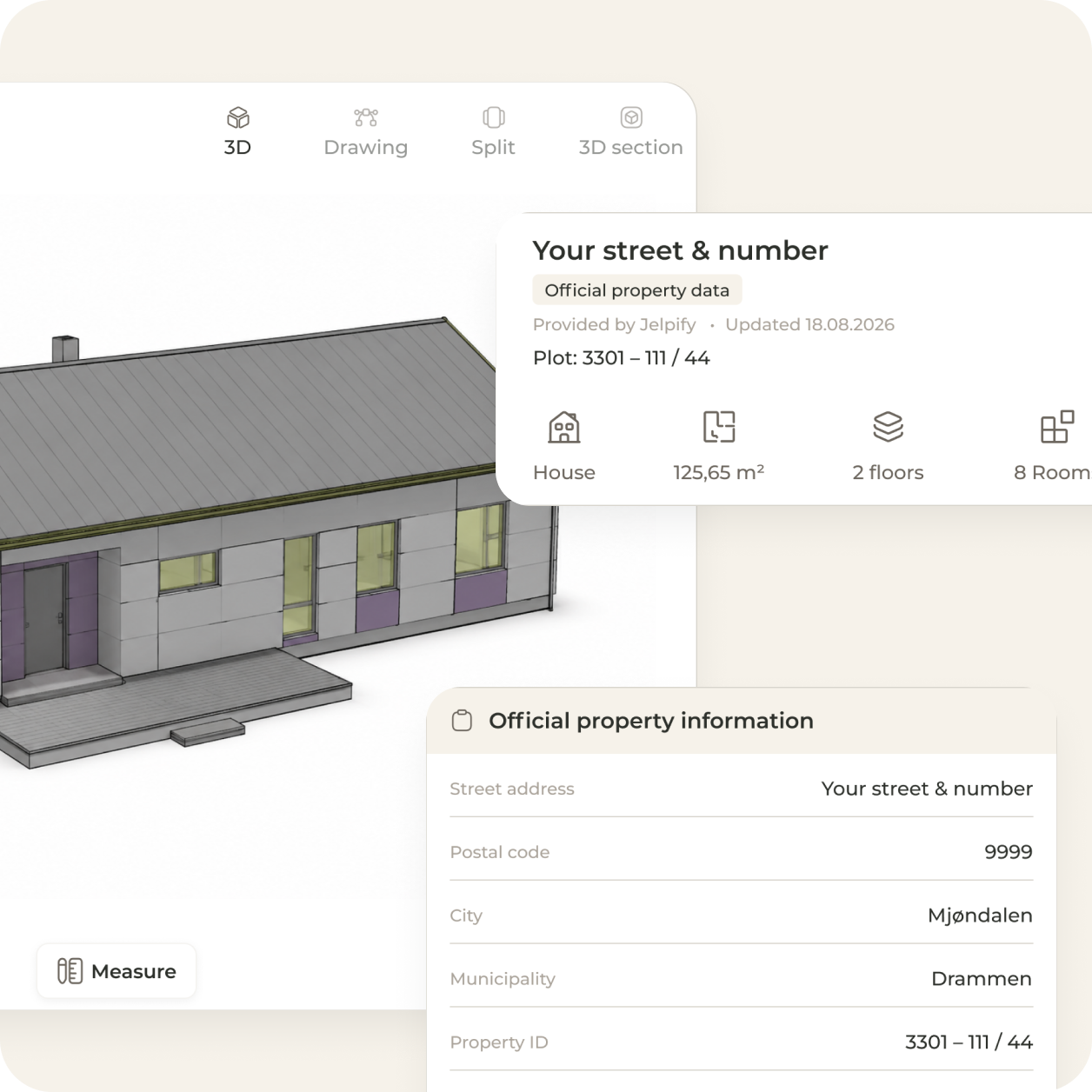
What Is a Digital House Passport?
A document management system is a digital solution that makes it easy to store, organize, and find documents in one centralized place. For homeowners, Jelpify's Digital House Passport gives full visibility over all important files - including contracts, drawings, safety reports, and photos - ensuring your documentation is organized, searchable, and accessible whenever you need it.
What you get
- All property documents stored in a structured digital home file linked to your address
- Service reports and certificates from certified professionals added automatically
- When you sell your home, the full service history transfers to the new owner
Many homes still suffer from document chaos - files scattered across emails, local folders, and multiple cloud tools, with important paperwork missing or hard to find right when it matters most. Jelpify solves this by consolidating everything in one place, giving both homeowners and companies a clear and efficient document flow.
Features in Jelpify
Everything you need to store, organize, and manage documents in one connected platform.
Centralized documentation archive for companies
Mirrored home folder for homeowners
Personal employee archive with CV export
Version control and audit trail
Automatic storage from projects and purchases
Metadata tagging for easy search
Integrations with project, safety, and accounting modules
Notifications and reporting via email, Teams, or Slack
GDPR-compliant secure storage
Key Features of a Modern Document Management System
Jelpify combines advanced functionality for both companies and homeowners - unified in one platform for full control, better overview, and efficient management of sensitive documents.
User Roles and Access Control
Define user roles and access permissions, so employees, customers, and partners have the right access to the documents they need.
Reports and Dashboards
Dashboards and widgets give a visual overview of projects and document status, while reports can be exported to PDF, Word, or Excel for analysis and sharing.
Notifications and Data Control
Notifications keep you updated on changes and important deadlines, while data auditing provides full visibility over all system activity.
Integrations and API
Full API and integrations with existing systems make it easy to connect documents to other tools and automate workflows.
GDPR-Ready and Secure Storage
Sensitive documents are stored securely with GDPR-compliant solutions and encryption, maintaining privacy at all times.
Complete Solution for Both Companies and Homeowners
Jelpify offers a unique dual structure: a documentation archive for companies and a home folder for homeowners - ensuring transparency, security, and efficient sharing of documents between all parties.
For Companies
A centralized documentation archive gives companies full control over project documentation, contracts, drawings, and safety reports.
For Homeowners
A mirrored home folder - your Digital House Passport - lets you share selected documents and photos with professionals, whenever you choose.
Easy to Store, Find, and Track Every Document
Storage by Project, Room, or Floor
Jelpify supports project-based document management, so files can be structured per room and floor - making it easy to find the right information, whether viewed from the company archive or your home folder.
Automatic Storage from Purchases and Projects
Purchase and project documents are stored automatically, eliminating manual uploads. Every file is saved correctly with metadata, linked to the relevant project, customer, or room.
Easy to Find Documents When You Need Them
Fast, powerful search and filtering lets you search both content and metadata, finding your documents in seconds - with full visibility whenever you need it.
Audit Trail and Version History
Every file has a complete audit trail and version history. Changes, uploads, and deletions are logged with timestamps and responsible users, and previous versions can always be restored.
How to Get Started
Create an account and upload your documents
Connect your home folder to existing projects
Upload files via drag & drop and add metadata
Activate notifications, audit trail, and user roles
Integrate with project, safety, and accounting modules
Start searching, sharing, and managing documents efficiently

Book a Demo
Try Jelpify free for 1 month and experience how document management can become simpler, more structured, and efficient - with full access to all features from day one.
Book a Demo