




















Project Management Tool for Construction – Full Control from Offer to Completed Project
Request a demo
A modern HSE system is essential for construction and service companies that need full control over health, safety, the working environment, and all legal requirements. With a digital HSE management system that combines Health, Safety & Environment with personnel management, time tracking, risk management, and internal control, businesses get a complete management system that ensures systematic HSE work, reduces risk, and streamlines daily routines.
From Chaos With WhatsApp and Excel to Structured Project Management on One Platform
Most construction companies work like this: WhatsApp groups filled with images, PDF timelines that are never updated, Excel sheets no one follows, phone calls interrupting the day, and decisions based on memory. This leads to misunderstandings, budget overruns, unclear agreements, and delays.
With our solution you get a digital project management system that gathers everything in one place: timeline, tasks, trades, rooms, documentation, communication, subcontractors, and client updates. The result is structure, control, and a workflow that brings confidence to both the company and the customer.
What Is Our Project Management Tool for Construction?
This is the project module that activates the moment an offer is accepted. Where other systems stop at the contract, this module begins the actual execution.
Once the offer is signed digitally, the system transfers:
A Timeline-Driven Project Engine Built on Real Offer Hours
The core of the tool is the automatic timeline — an engine that uses real hours from the accepted offer to calculate duration and sequence.
Each trade has a percentage distribution per phase (example for electrician: 30% preparation, 30% installation, 40% finish) .
The system knows:
- the trade
- the product
- the room
- the labor hours
- the sequence
- the dependencies
- the assigned employees
Therefore it can automatically calculate project length, trade flow, and when each resource must show up. This is a timeline you do not have to drag and drop — it’s built for you and updates itself when anything changes.
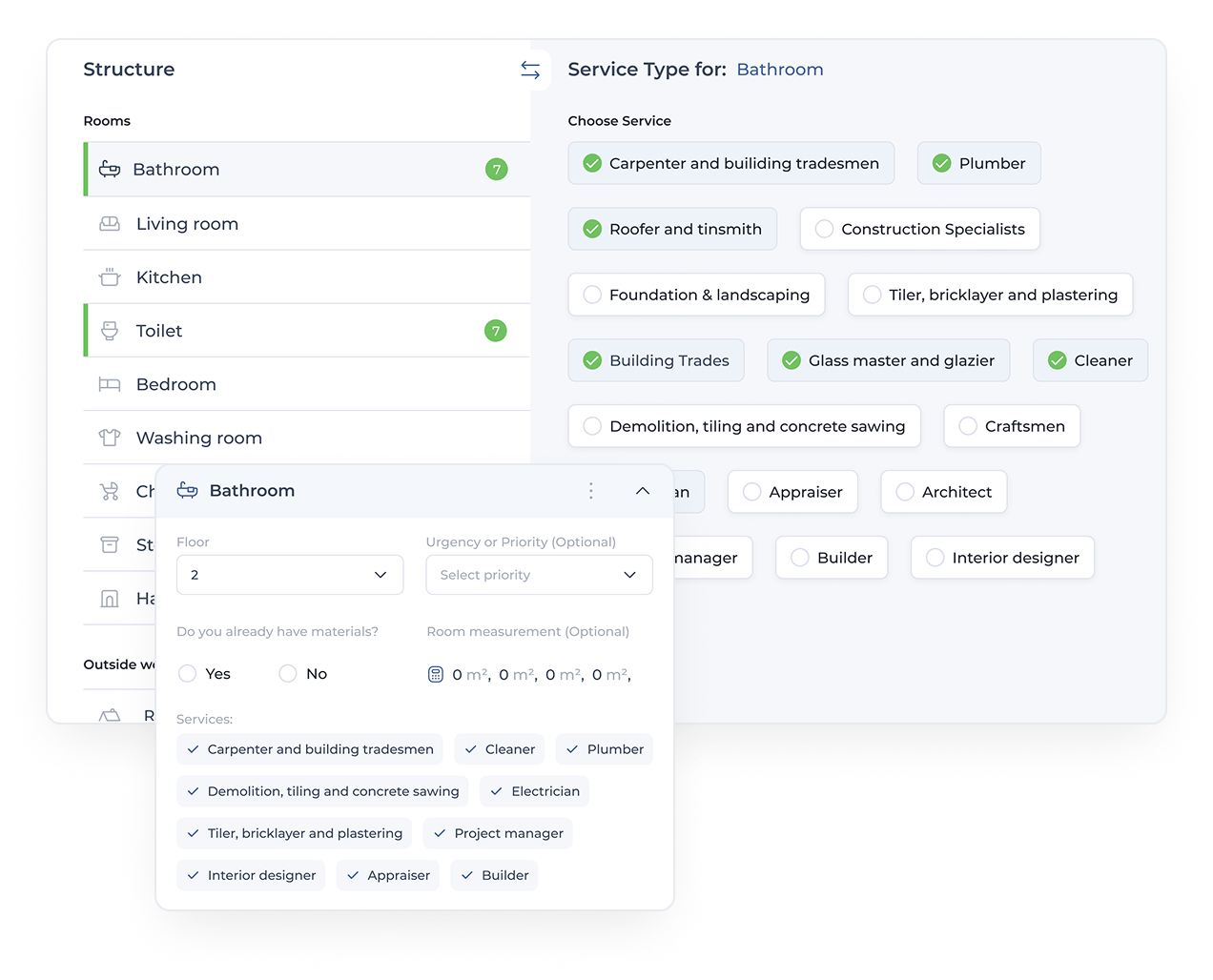
Automated Plans Based on Trades, Rooms, and Products
The automation uses all data from the offer to build a complete plan:
- 1.Trades (plumbing, electrical, carpentry, tiling)
- 2.Rooms (bathroom, living room, basement, etc.)
- 3.Products and labor hours
- 4.Predefined steps and percentages
- 5.Tasks and checklists per trade
This eliminates manual project planning, reduces human error, and ensures predictable workdays. The company gets faster start-ups, lower risk, and more accurate delivery.

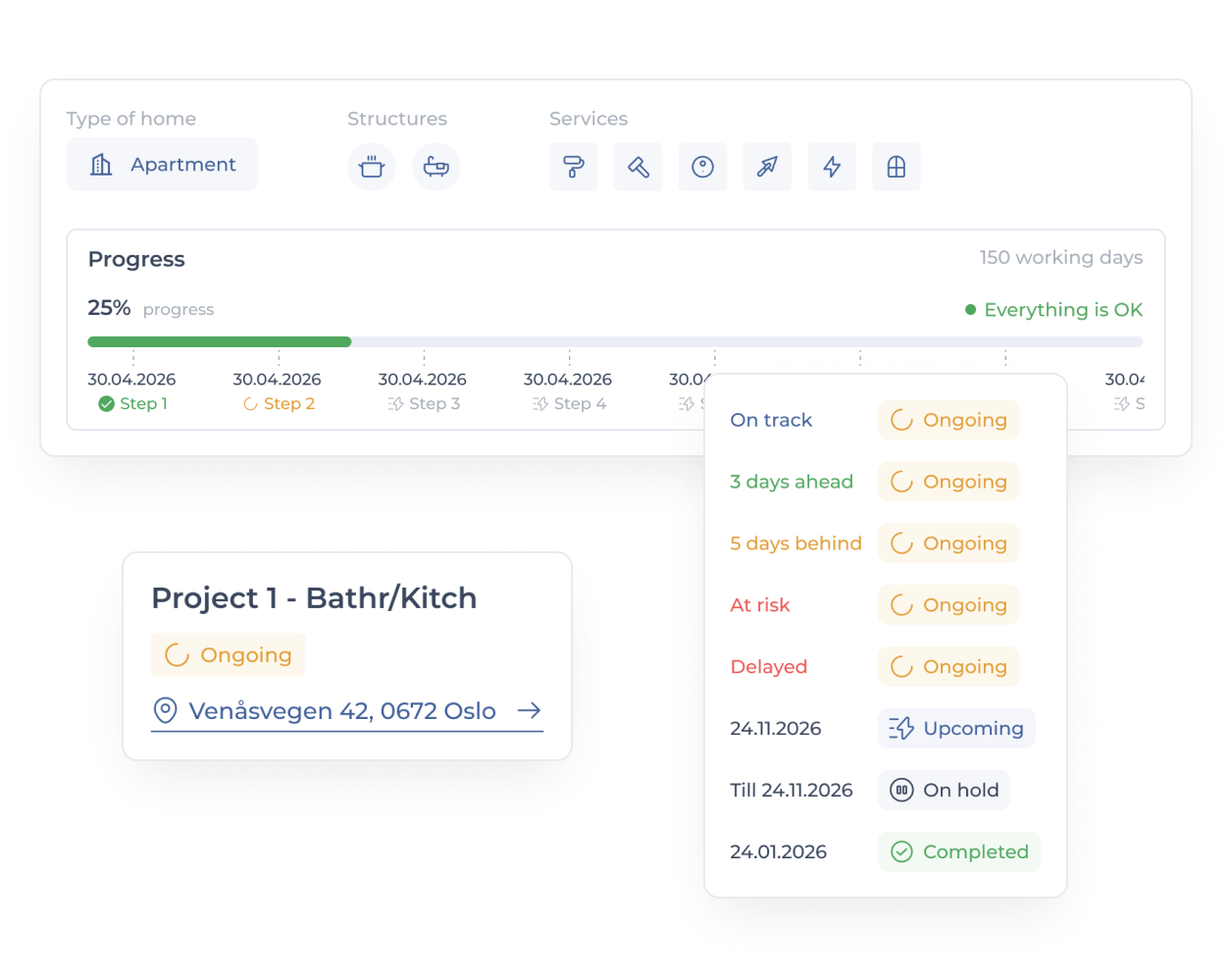
Live Project Status With Red–Yellow–Green Overview
The status system works like a radar:
- Red – critical delay or issue
- Orange – behind schedule
- Yellow – slight deviations
- Green – on schedule
- Black – stopped or completed
The system alerts you when materials are missing, workers are absent, or unforeseen problems arise. You see delays before they happen, providing predictability and control throughout the project.
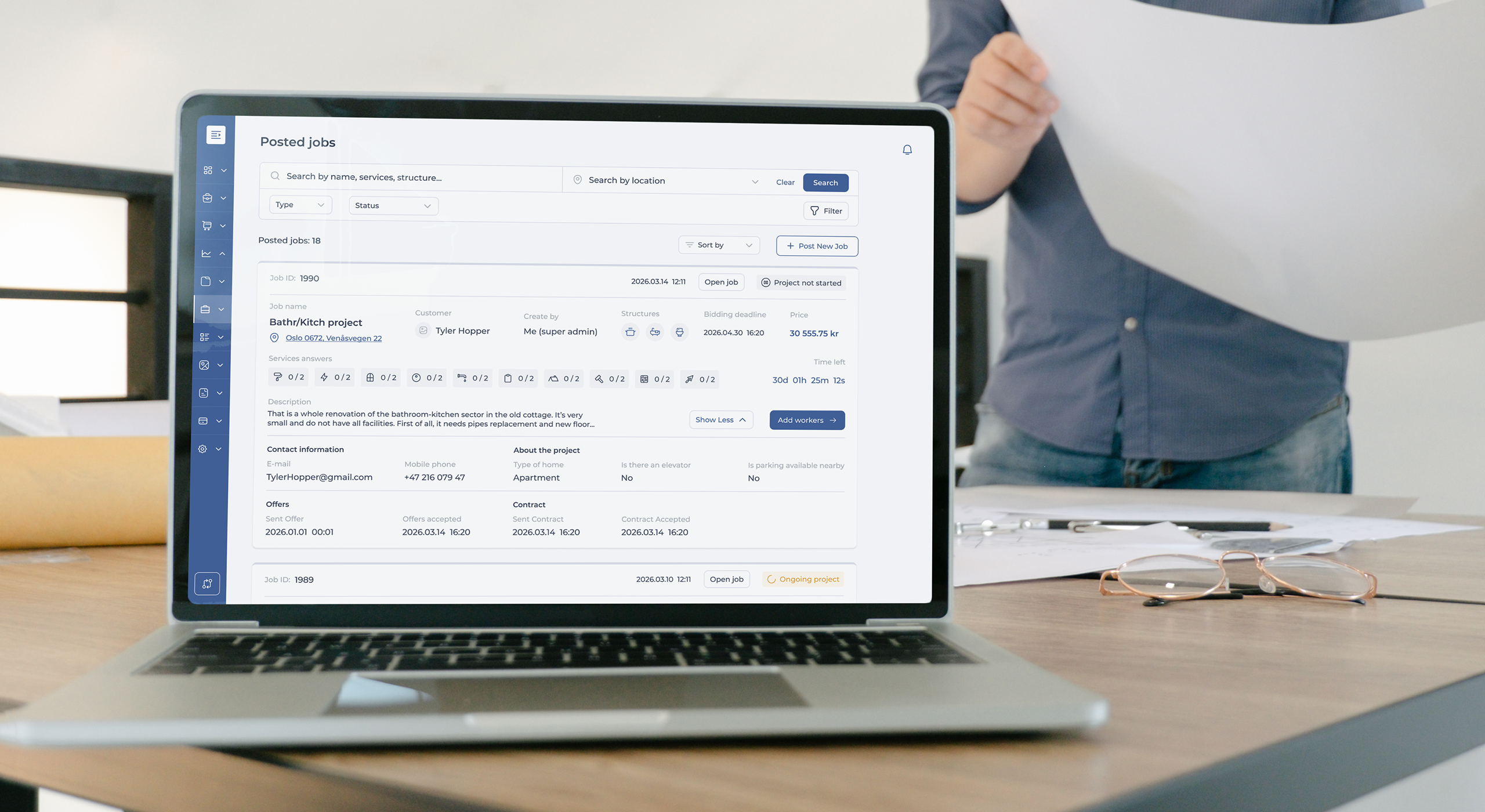
From Signed Contract to Active
Project in One Seamless Flow
Where many contract management systems stop once an agreement is signed, Jelpify turns the contract directly into an operational project.
The company can:
Full Control of Employees and
Subcontractors in the Same Project
Where many systems only handle internal employees, this module manages employees and subcontractors seamlessly.
The company can:
- Use its own workers
- Invite subcontractors
- Combine both
- Use National Admin as a subcontractor marketplace
Subcontractors receive the job in their system, can accept or decline, and add their workers. Everything appears on a shared timeline — exactly how real professional general contractors operate .
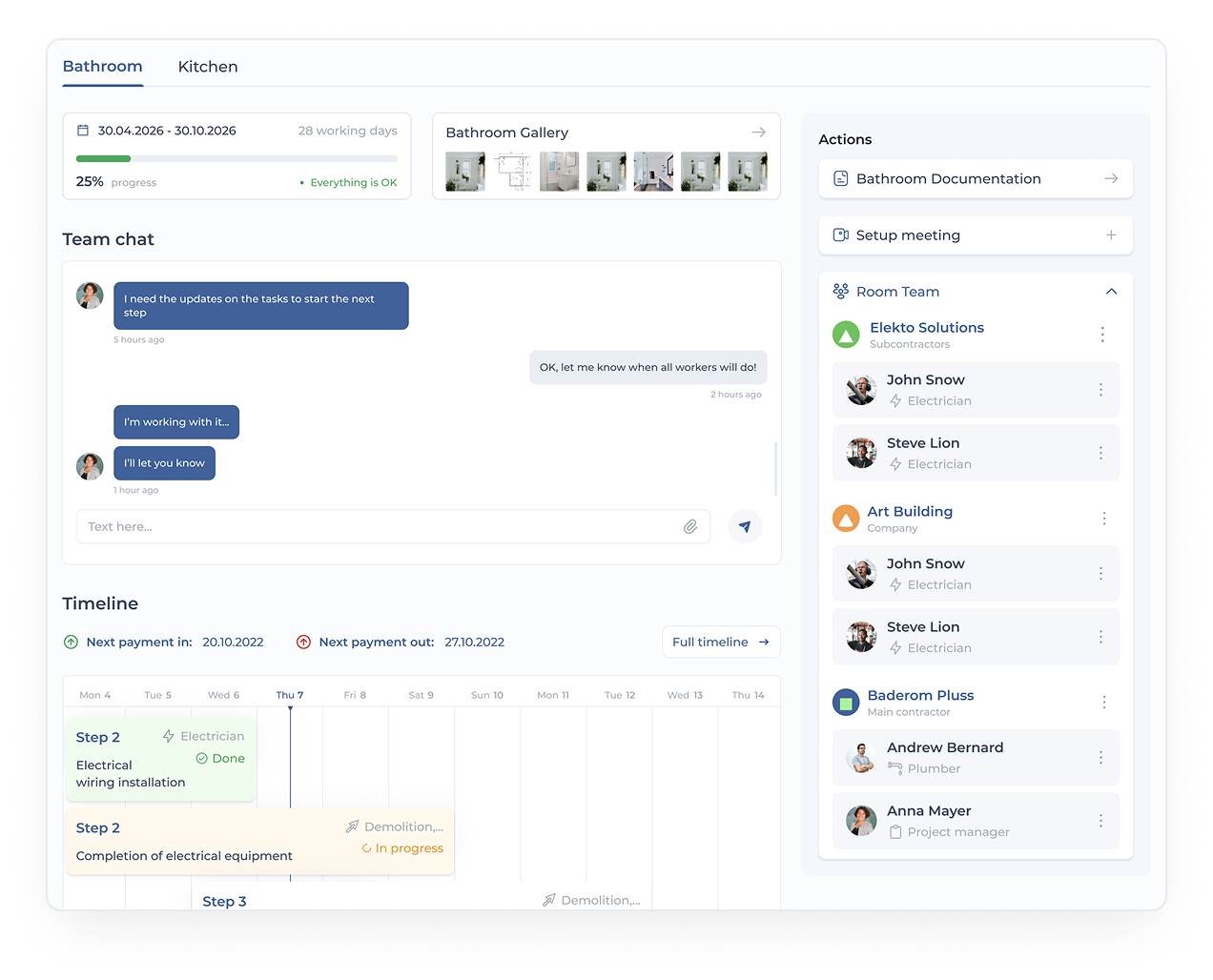
One Shared Project Room for Main Contractor, Subcontractors, and Customer
The project room brings all parties together:
- Main contractor
- Subcontractors
- Your employees
- The homeowner/client
Each party sees the relevant information: timeline, team, tasks, photos, progress, and documentation.
This creates transparent collaboration, fewer misunderstandings, and a professional customer journey that builds trust.
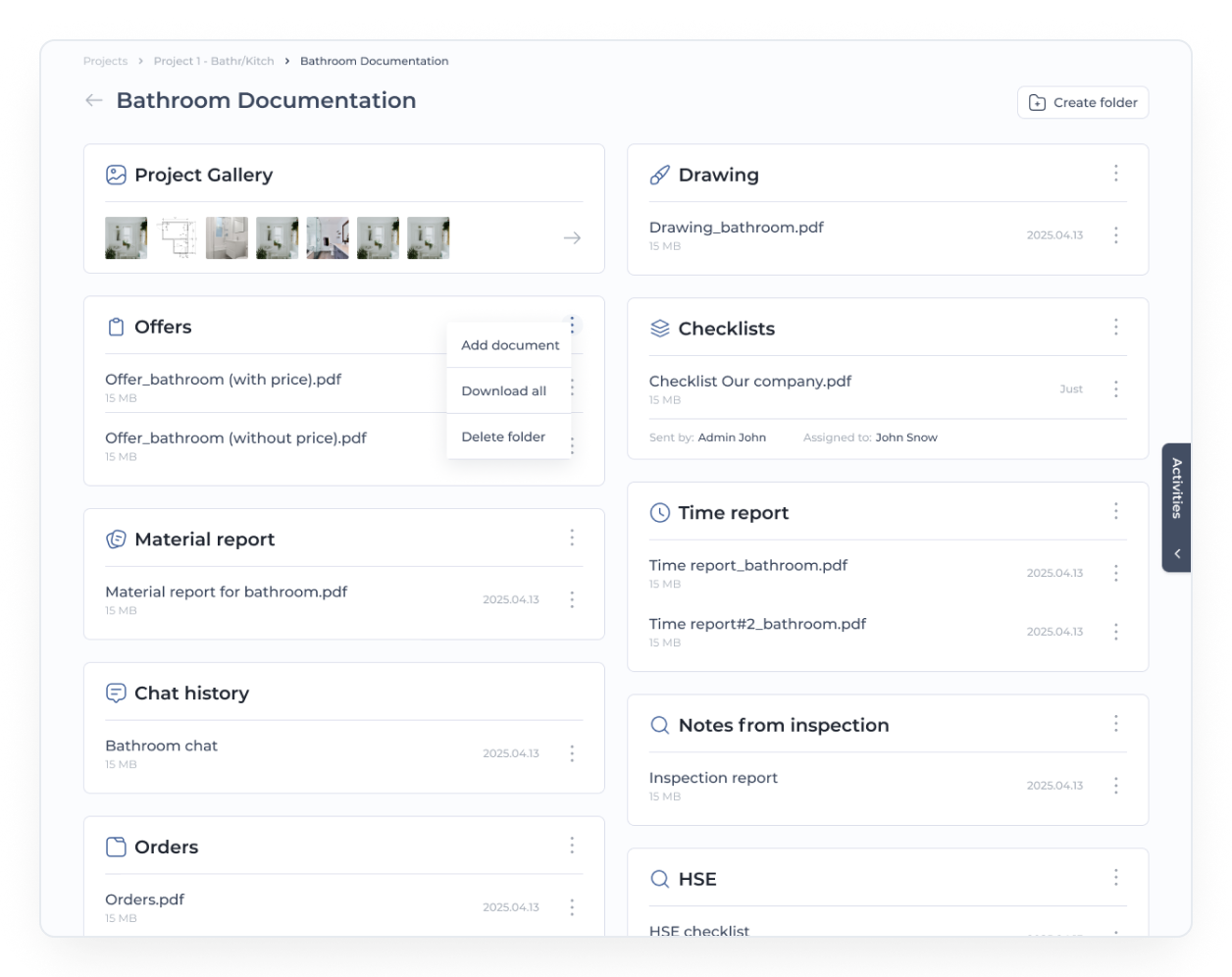
Documentation, Photos, Checklists, and HSE in One Place
Everything that happens in the project is documented:
- Tasks and subtasks
- Before/after/during photos
- Checklists and compliance checks
- HSE templates, risk assessments, work permits
- Meeting agendas and minutes
- Deviations, change orders, extra work
Documentation is stored securely and can be shown to customers, insurance companies, or authorities. This results in fewer disputes, better quality control, and a more professional execution.
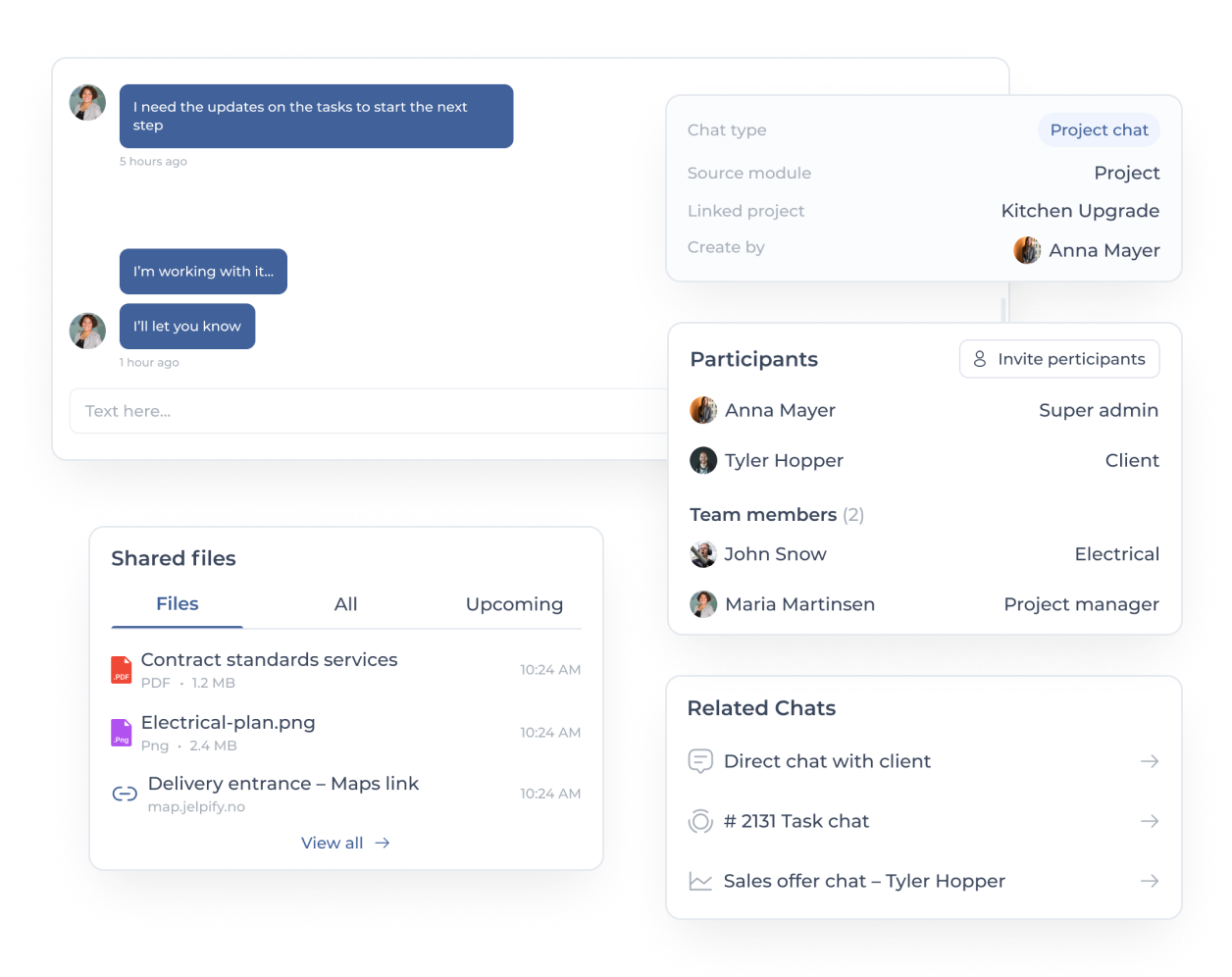
Project Chat That Collects All Communication and Agreements
The project chat replaces WhatsApp and scattered messages:
- Group chat for all parties
- Direct messages company ↔ customer
- Main contractor ↔ subcontractor
- Workers ↔ office
Every message, agreement, and photo is stored in an audit-safe log, so you can always prove what was said and agreed.
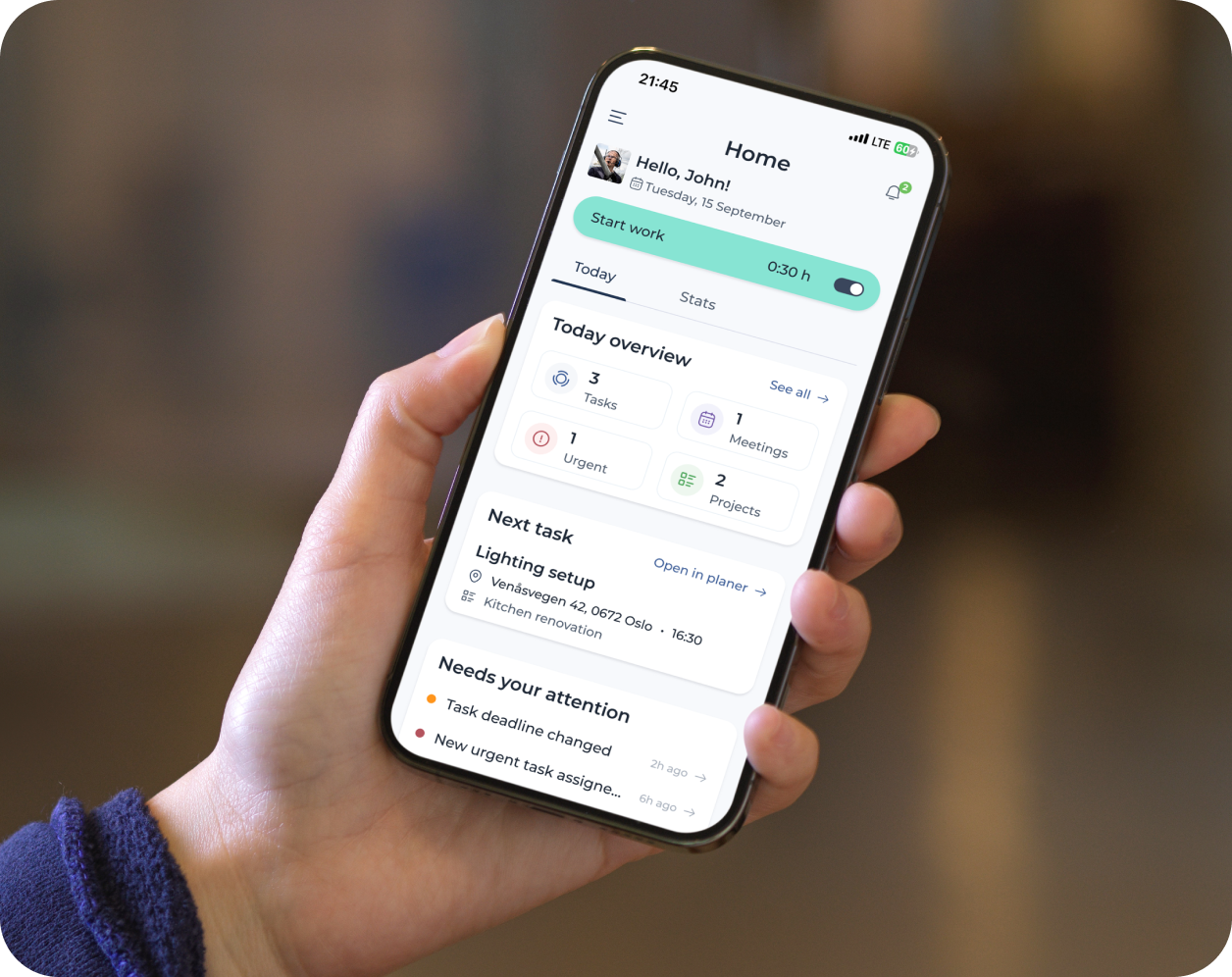
Mobile App for Workers – Today’s Tasks, Time, and Deviations Right on the Phone
The app gives workers everything they need without logging into the main system:
- Today’s tasks
- Mark work completed
- Fill out checklists
- Upload photos
- Report time
- Send extra work requests
- Communicate with project manager
The office receives real-time updates without extra admin, and craftsmen avoid using PCs.
Integrated With Accounting, Cars &
Maps, Documents, and HSE
The project module connects seamlessly with the rest of the ecosystem:
Why Our Project Management Tool
Outperforms Traditional Systems in
Construction
The core of the tool is the automatic timeline — an engine that uses real hours from the accepted offer to calculate duration and sequence.
Most systems lack:
- 1.Trade-based timelines
- 2.Automatic hour distribution
- 3.Full subcontractor workflow and approval hierarchy
- 4.Extra-work logic
- 5.Full connection from product → time → tasks → documentation → accounting
- 6.A timeline-driven mobile app for workers
We provide all of this in one structured workflow, making projects more predictable and professional.
Who Is the Project Management
Tool For?

Built for:
- Electricians, plumbers, carpenters, painters, tilers
- Renovation companies
- Small general contractors
- Project managers in construction

Typical use cases:
- Small refurbishments
- Full home renovations
- Multi-trade construction projects
- Service jobs requiring documentation
How to Get Started With the
Project Management Tool
A typical onboarding takes four simple steps:
Book a demo
Get a walkthrough of the project module
Set up templates and your first project
Invite employees and subcontractors
We support you throughout, and many start with a pilot project.
Book a Demo and See the
Project Engine in Action
Experience the timeline, project room, mobile app, and subcontractor flow in real time.
In 30 minutes, you'll see how your projects can go from chaos to coordination.
Book a demo now – and gain full control from day one.
Start for free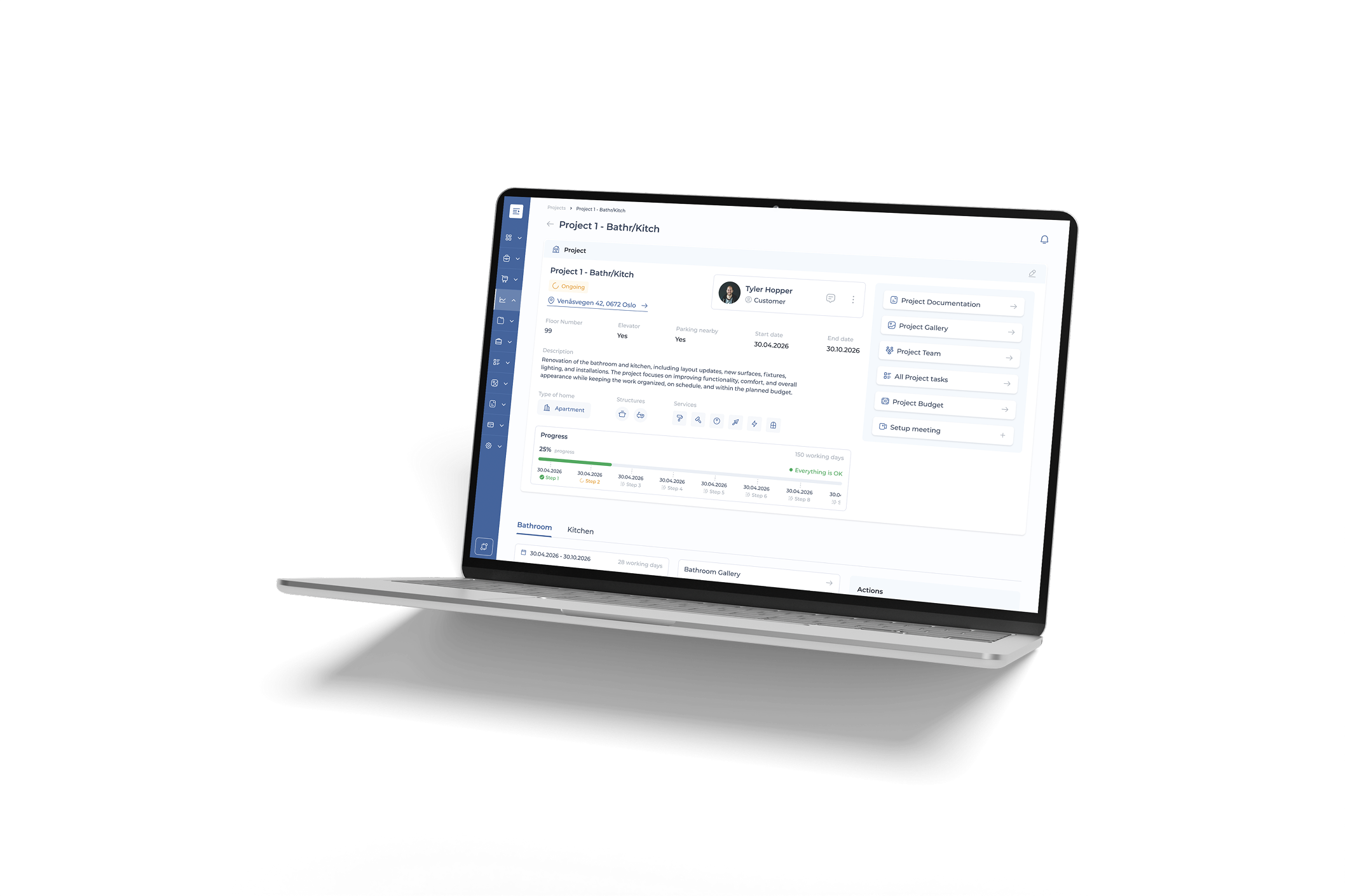
Frequently Asked Questions
All trades, renovation companies, project managers, and small contractors who need structured project management based on labor hours, documentation, and timeline control.
This is a timeline engine built specifically for construction — with trade distribution, subcontractor flow, extra-work logic, documentation, and full client transparency.
Yes. Subcontractors receive jobs, follow an approval hierarchy, and get their own tasks. Extra work follows a fixed flow from worker → subcontractor manager → main contractor → customer.
Hours, milestones, photos, checklists, and documentation flow directly into accounting, the document module, and the HSE module.
All communication, documentation, and project data are stored securely in an audit-safe archive.
Most companies start within a day. The system saves hours every week on planning, communication, deviations, and documentation.